


Remote Patient Monitoring for Primary Care Practices





Author
As CEO and Founder of Kangaroohealth, Dr. Kang is a healthcare innovator with nearly two decades of experience in healthcare and 20+ national and international awards. She received her PhD and medical training from Johns Hopkins University.Dr. Kang, CEO and Founder of Kangaroohealth, is a healthcare innovator with nearly two decades of experience. She has received over 20 national and international awards. Dr. Kang completed her PhD and medical training at Johns Hopkins University.


In a primary care hypertension study, 71.5% of patients prescribed remote patient monitoring (RPM) had their blood pressure under control at 18 months. That number shows why RPM has gained attention in primary care, where much of chronic disease management happens between office visits. With regular readings coming directly from patients at home, you have more information throughout care.
The bigger challenge is making RPM practical for your practice.
This guide covers how to get patients started, build monitoring into your clinical workflow, plan for staffing, and handle reimbursement as your program grows.
Key Takeaways
- In one primary care study, 71.5% of hypertension patients on RPM had blood pressure under control at 18 months.
- RPM is ongoing data collection between visits; telehealth is a scheduled remote visit — they complement each other rather than replace one another.
- Launching RPM takes 5 steps: identify eligible patients, select devices/platform, build consent into intake, assign clinical review and escalation roles, and measure outcomes.
- A panel of 250 active RPM patients at 20 minutes/month of treatment-management time represents roughly 83 clinical hours — plan staffing (in-house, outsourced, or hybrid) before scaling enrollment.
- Practices adopting RPM generated about 20% more Medicare revenue over two years than practices that didn't, per a study of 754 primary care practices.
What Is Remote Patient Monitoring in Primary Care?
Remote patient monitoring (RPM) allows you to track your patients' physiological data outside the clinic using connected medical devices. Patients take measurements such as blood pressure, blood glucose, weight, or oxygen saturation at home, and the device automatically sends the readings to your care team for review.
This gives you a record of patient data between office visits that you can use alongside other clinical information when managing care.
Conditions Primary Care Panels Monitor Remotely
RPM can support acute and chronic conditions, though chronic disease management is one of its most common applications in primary care.
You may use RPM to support patients with conditions such as:
- Hypertension: Connected blood pressure monitors provide readings outside the clinic, giving you more information to consider when evaluating blood pressure control.
- Diabetes: Connected glucometers can transmit glucose measurements and help your care teams monitor blood sugar patterns between appointments.
- Heart failure and cardiovascular conditions: Connected devices can track weight, blood pressure, and heart rate to help identify changes such as fluid buildup or blood pressure fluctuations.
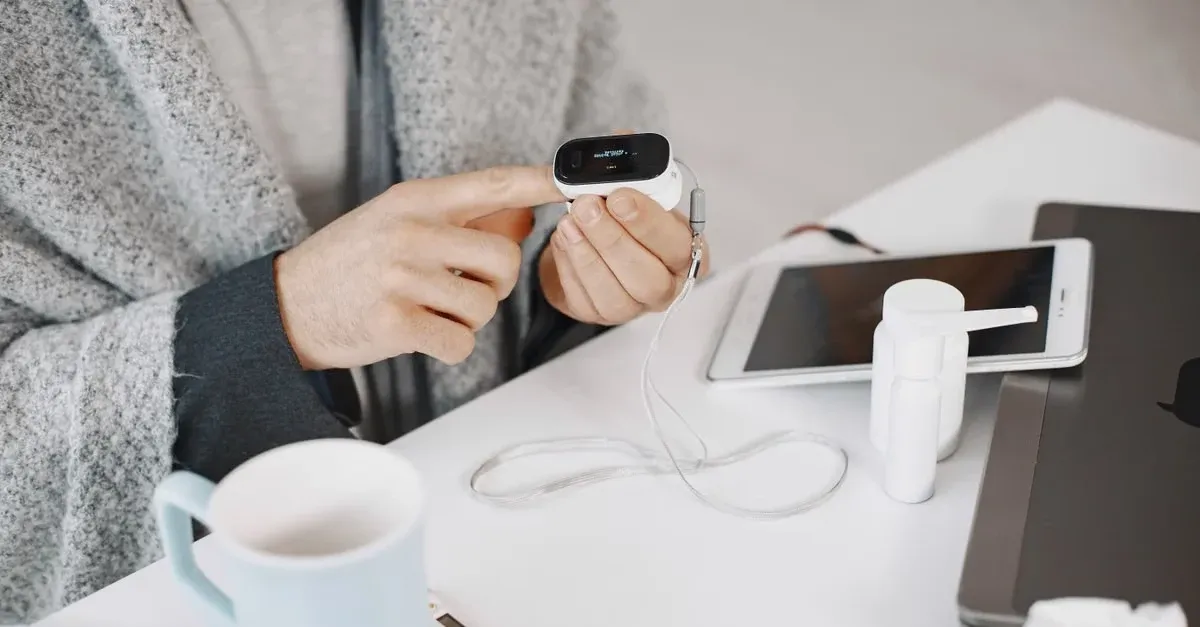
- COPD and respiratory conditions: Pulse oximeters can help you track oxygen saturation, while connected devices may also monitor respiratory rate and other measures that can signal changes in a patient's respiratory status.
- Obesity and weight-related conditions: Connected scales can provide longitudinal weight data as part of a provider-directed care plan.
How RPM Differs From Telehealth Visits
RPM and telehealth can both extend your care beyond the clinic, but they serve different purposes.
A telehealth visit is a remote appointment. You meet the patient by video, phone, or another supported communication method at a scheduled time.
RPM is ongoing. A connected device collects and transmits health information while the patient is at home, giving your care team data to review between appointments.
In practice, the two can complement each other. RPM may show a trend that warrants follow-up, while a telehealth or in-person visit gives you an opportunity to evaluate the patient and determine what action, if any, is appropriate.
How Does Remote Patient Monitoring Work in Primary Care?
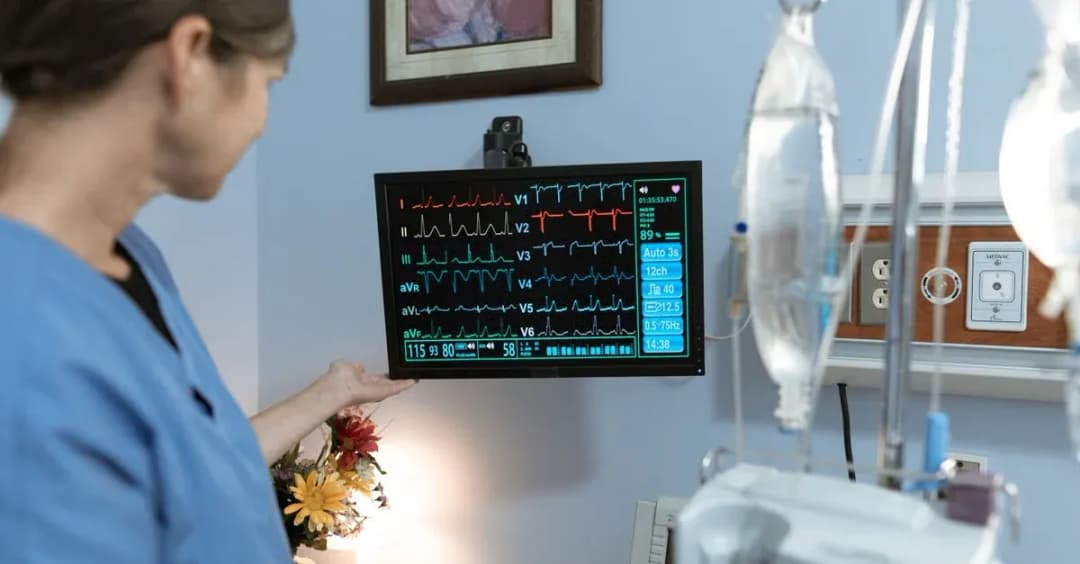
In primary care, RPM brings readings from patients managing chronic conditions at home into your day-to-day care workflow. This gives your team data to review between routine visits and a process for following up when readings or trends need attention.
In practice, there are two parts of the RPM workflow to plan for:
The Data Flow from Patient Home to Clinical Dashboard
The process typically follows 5 steps:
- Device setup: The patient receives an appropriate connected device, such as a blood pressure monitor, glucometer, pulse oximeter, or scale, along with instructions for using it.
- At-home readings: The patient takes measurements according to the monitoring schedule established for their care.
- Automatic data transmission: The device securely sends readings through cellular connectivity, Wi-Fi, or a connected application to your monitoring platform. For Medicare RPM, qualifying device data must be electronically collected and automatically transmitted rather than self-reported.
- Clinical review: Your care team reviews incoming readings and trends based on the patient's care plan and provider-established parameters.
- Follow-up when needed: If a reading or trend needs attention, your care team can contact the patient for more information or escalate it to the appropriate provider for further evaluation.
This workflow gives your primary care team a clearer view of chronic disease trends between routine visits without relying on patients to manually record and report every reading.
Alert Thresholds and Escalation Paths
Your alert parameters should reflect the patient's condition and care plan, since the same threshold may not make sense for every patient. You also need to decide who reviews flagged readings and when to involve the healthcare provider.
A typical escalation path may look like this:
Reading is flagged → clinical staff reviews it → patient is contacted if more context is needed → finding is escalated to the healthcare provider when appropriate → provider decides the next step
That next step may be continued monitoring, a telehealth or office visit, or an adjustment to the care plan.
Your patients should also know what to expect from RPM in a primary care setting. Their readings help your team follow their health between routine visits, but RPM is not an emergency service and readings are not reviewed 24/7.
Steps to Launch Remote Patient Monitoring in a Primary Care Practice
Adding RPM to a primary care practice takes some planning because your team is already managing office visits, chronic care, and follow-ups across a large patient panel. Before you start enrolling patients, you need to decide who is a good fit for RPM, how their readings will be reviewed, and who will handle follow-up.
Here's a step-by-step process:
Step 1. Identify Eligible Patients in Your Panel
Start with patients who have an acute or chronic condition that would benefit from regular physiological monitoring between visits. For example, you may look for patients with hypertension, diabetes, heart failure, or other conditions where home readings can provide useful information between appointments.
As you review your patient panel, consider:
- Whether regular home readings would help you manage the patient's condition
- Which physiological measurements you need to track
- Whether the patient can use the connected device consistently
- Whether the patient will need additional support to get started
- Whether RPM is medically reasonable and necessary for their care
Step 2. Select Devices and a Monitoring Platform
Choose devices based on what you need to monitor across your primary care patient population. That might include blood pressure monitors for hypertension, glucometers for diabetes, connected scales for weight or heart failure monitoring, or pulse oximeters for respiratory conditions.
Under Medicare requirements, an RPM device must meet the definition of a medical device and electronically collect and transmit the patient's data.
When choosing your connected devices and monitoring platform, also look at how the setup will work day-to-day:
- How easy the device is for patients to use at home
- How readings get from the device to your team
- Whether your staff can quickly spot trends or readings that need attention
- How monitoring time and patient interactions are recorded
- Whether custom EHR or EMR integration is available
The patient experience matters here. If a device is difficult to set up or use consistently, your primary care team may spend more time troubleshooting and have less data available for ongoing monitoring.
Step 3. Build Consent and Enrollment Into Intake
Make RPM enrollment part of a workflow your care staff already follows. You might introduce RPM during a routine office visit, chronic care follow-up, or another regular patient interaction.
From there, the process can follow a simple path:
Eligible patient → program explained → consent obtained → device provided and activated → readings begin transmitting → patient continues monitoring
Your staff can then follow up if a patient has trouble activating the device or using it consistently. CMS requires patient consent for RPM, and you can obtain that consent when you furnish the services.
Step 4. Assign Clinical Review and Escalation Roles
Before enrolling more patients, decide how RPM responsibilities will fit alongside your primary care team's existing workload.
That includes deciding who checks the dashboard, follows up on alerts, contacts patients, records monitoring time, and brings relevant findings to the healthcare provider.
You generally have three options: keep monitoring with your own clinical staff, outsource monitoring to an external clinical team, or use a hybrid approach.
The right model depends on your patient volume and available capacity. Assign these responsibilities early so monitoring remains manageable as your RPM patient panel grows.
Step 5. Measure Outcomes and Adjust Care Plans
Once your program is running, see whether patients are using their devices regularly and sending enough readings for you to follow their progress. You should also track how often your team needs to follow up with patients or escalate a reading to the healthcare provider.
You can use this information along with each patient's RPM data to see how they're doing and make appropriate changes to their care plan.
Benefits of Remote Patient Monitoring for Primary Care Practices
Primary care teams manage many patients with chronic conditions, but office visits only give a snapshot of how those patients are doing. RPM adds regular readings from home, giving you more information between visits.
Depending on your patient population and how your program is set up, the benefits can include:
- More data between primary care visits: Regular home readings help you follow changes in blood pressure, glucose, weight, and other measurements instead of relying mainly on readings taken during appointments.
- Stronger chronic disease management: You can follow patients with hypertension, diabetes, heart failure, and other ongoing conditions more closely and identify changes that may need attention.
- More patient involvement between visits: Regular monitoring gives patients a way to stay involved in managing their condition and following the care plan you've established.
- Better access to ongoing monitoring: Patients can send important health measurements from home, which can help you stay connected with patients who have difficulty coming into the practice regularly because of distance, transportation, or mobility.
- Reimbursement for ongoing monitoring: You can bill qualifying RPM services for the work your primary care team does to monitor eligible patients between visits. A study of 754 primary care practices found that clinics adopting RPM generated about 20% more Medicare revenue over two years than similar practices that did not adopt it.
A rural Illinois primary care clinic put several of these benefits into practice — see the Greenville Family Medicine RPM and CCM case study for the full outcomes.
RPM Reimbursement, Staffing, and Workflow Requirements
As more patients enroll in RPM, the number of readings, follow-ups, and monitoring hours grows with them. You need to plan for that workload while making sure qualifying services are documented correctly for reimbursement.
Here are the main areas to account for:
Current RPM CPT Codes and What Each Covers
RPM billing changed in 2026 with the addition of two new CPT codes, 99445 and 99470, which cover shorter periods of device monitoring and treatment-management time.
Here's what each CPT code covers for RPM billing and reimbursement:
Which code you use will depend on the services provided, including the number of days data is collected and the amount of treatment management time provided during the month.
For RPM billing, you still need to check the requirements for each code, payer coverage, and current payment rules before billing.
Panel Size and Enrollment Math
The number of eligible patients and the number who actively use RPM can look quite different. Some patients may choose not to enroll, while others may need help getting started or may become less consistent with their readings over time.
As your active patient count grows, so does the amount of clinical time you need each month. For example:
- 100 active patients × 20 minutes per month = about 33 clinical hours
- 250 active patients × 20 minutes per month = about 83 clinical hours
And that only covers treatment-management time. Your staff may also be enrolling patients, setting up devices, resolving technical issues, and following up on missed readings.
As the workload grows, you have three main ways to handle monitoring:
- In-house: Your own clinical staff manages monitoring and patient follow-up.
- Outsourced: An external clinical team handles agreed monitoring activities and escalates relevant findings to your care team.
- Hybrid: Your practice and an external team share monitoring responsibilities based on your needs.
Which model works best will depend on your patient volume and how much capacity your primary care team has available.
EHR Integration and Documentation Burden
RPM adds another source of patient data to your practice, so your staff needs a practical way to review readings, record patient interactions and escalations, and track time spent on qualifying RPM activities.
Connecting the RPM platform with your EHR or EMR can reduce the amount of information your staff has to move between separate systems. Integration capabilities vary, so you should check what custom integration is available with your existing setup.
Documentation also matters for reimbursement. You need records that support the RPM services being billed, including applicable device activity, clinical time, and patient communication.
How KangarooHealth Helps Primary Care Practices Scale RPM
Running RPM in-house can become difficult as enrollment grows, especially when your staff is already balancing office visits, care coordination, and other clinical responsibilities. At KangarooHealth, we can take on different parts of your program depending on how much support you need.
Here's what that can include:
- Setup and training: We help you set up RPM around your primary care workflow and train your staff on the platform, devices, and monitoring process.
- Device procurement: We can help you choose and source connected devices based on what you need to monitor for each patient. Our platform works with 100+ compatible devices and supports care pathways for more than 50 chronic conditions.
- Flexible monitoring: You can keep monitoring with your primary care team, use our white-label clinical team for additional capacity, or combine the two as your patient panel grows.
- Patient support: Our multilingual clinical team can help patients get started with their devices and provide ongoing follow-up and coaching between visits.
- Monitoring and reporting: Organized dashboards help your team review patient readings and trends, while automated time tracking and reporting support RPM documentation and reimbursement.
- Custom integration: Our platform can work with your existing EHR/EMR so RPM data and documentation are easier to manage alongside the rest of your workflow.
We have supported more than 13,500 patients through our clinical monitoring services, with 200,000+ monitoring hours and 6 million+ physiological data points collected.
If you want to grow your RPM program without adding more work, schedule a demo with us to see how we can help. For more on getting the most from a program once it's running, see our Remote Patient Monitoring Best Practices guide.
Frequently Asked Questions (FAQs)
Here are a few common questions you may have when considering RPM:
What Is the Difference Between RPM and Chronic Care Management?
RPM focuses on monitoring physiological data from connected devices, such as blood pressure, glucose, or weight.
CCM is broader and focuses on coordinating ongoing care for patients with multiple chronic conditions. Medicare CCM is available to eligible patients with two or more chronic conditions expected to last at least 12 months or until death.
Is RPM Data Reliable Enough to Guide Clinical Decisions?
Yes, it is reliable when appropriate medical devices are used correctly.
RPM gives you additional patient data to consider alongside medical history, office visits, lab results, symptoms, and other clinical information when making care decisions.
What Happens If a Patient Stops Using Their Monitoring Device?
Your care team can follow up to find out why readings have stopped. Depending on the issue, the patient may need help using the device, additional education, or reminders to resume monitoring.
For your primary care practice, missed readings can also affect reimbursement if the patient does not meet the data collection requirements for the RPM code you plan to bill.
Does RPM Replace In-Person Primary Care Visits?
No. RPM provides additional information between appointments and is designed to support ongoing care.
Your patients still need in-person visits when clinically appropriate.
Can Practices Run RPM Alongside an Existing Telehealth Program?
Yes. RPM and telehealth can be used together.
RPM collects patient data between appointments, while telehealth allows you and your patient to meet remotely for an evaluation or follow-up.
Conclusion
RPM gives your primary care team a better view of how patients with chronic conditions are doing between routine visits. As more patients enroll, you also need a plan for managing the added monitoring, follow-up, and documentation without overloading your staff.
We at KangarooHealth help you manage that workload with an all-in-one connected care platform, device procurement, staff training, patient onboarding, and flexible clinical monitoring. You can keep monitoring in-house or bring in our multilingual clinical team for additional support, while you continue to direct care and make all clinical decisions.
Schedule a demo with us to see how our all-in-one platform can support your primary care setting's RPM program.

Dr. Xiaoxu Kang
AuthorAs CEO and Founder of Kangaroohealth, Dr. Kang is a healthcare innovator with nearly two decades of experience in healthcare and 20+ national and international awards. She received her PhD and medical training from Johns Hopkins University.Dr. Kang, CEO and Founder of Kangaroohealth, is a healthcare innovator with nearly two decades of experience. She has received over 20 national and international awards. Dr. Kang completed her PhD and medical training at Johns Hopkins University.